Creator software · Private development

Sorelium Flow and Speech

I built Sorelium Flow and Speech because I had no idea how to edit, and I did not want to spend all of my time learning every manual step. My natural answer was to build something that could learn how to edit for me. I created the machine-learning systems, rules and checks that teach Flow what to look for, while keeping the final result visible for me to judge.

Software For creators Private Development
Sorelium Flow and Speech emblem
A problem I wanted to solve

Not every good story fits
inside one rushed short

When a story needs room, Flow can divide it into connected parts instead of cutting away the setup or forcing the ending into the same short. The aim is to keep the reason someone started watching, not just hit a duration target.

Raw Clip Best Hook Part 1 Part 2
Part 1

Keep the opening hook strong without overcutting the setup.

Part 2

Carry the story forward instead of squeezing it into a rushed single short.
What I made

One route from raw footage to a usable short

I started with the parts I did not know how to do: finding the right moment, deciding where a clip should begin and end, shaping the pace, adding captions and fitting narration. Instead of learning five separate tools, I built those decisions into one system and taught it with the evidence I could understand.

  • Turns existing clips into short-form videos
  • Adds subtitles to help make the content easier to watch
  • Can include voice overlay when needed
  • Helps shape footage into a cleaner, quicker edit

Why I made it

I would rather build an editor than become one

That is the honest reason behind Flow. I enjoy solving the system far more than sitting through hours of manual editing. If I can teach the software to handle the slow parts properly, I can spend more time creating the original idea and less time learning a job I never wanted to do by hand.

  • Picks out moments that feel stronger or more worth using
  • Helps keep the edit moving instead of dragging the process out
  • Supports creators who want to make more content from clips they already have
  • Focuses on speed, clarity, and watchable short-form output

Who it is for

It is being built for me first

I am the first real test: someone with ideas and footage, but very little editing knowledge and no desire to become a full-time editor. If Flow can help me create good work consistently, it may later help other creators who feel the same way.

How it works

Help with the edit, not a mystery button

Flow should show enough of its reasoning and evidence for me to understand the result. It can suggest and assemble, but the route, source and final output should never become unknowable.

  • Helps spot moments that feel like stronger hooks or cleaner highlights
  • Supports subtitle-first short formatting
  • Makes it easier to separate one long idea into multiple posts
  • Keeps the workflow local-first for speed and privacy

Current stage

Ready for real use, not public release

The system has working routes, but it still needs to prove that it can help me publish consistently. I am now improving the voice, Showcase output and the weak points that appear during real use.

What comes next

Use it to grow Sorelium first

If Flow helps me turn my own work into clear, useful content, that result will say far more than a feature list. Public access can be considered after the system has earned that confidence.

Pro Edit

Different editing routes
for different source material.

Story Clipper

Find the part of a story that can stand on its own

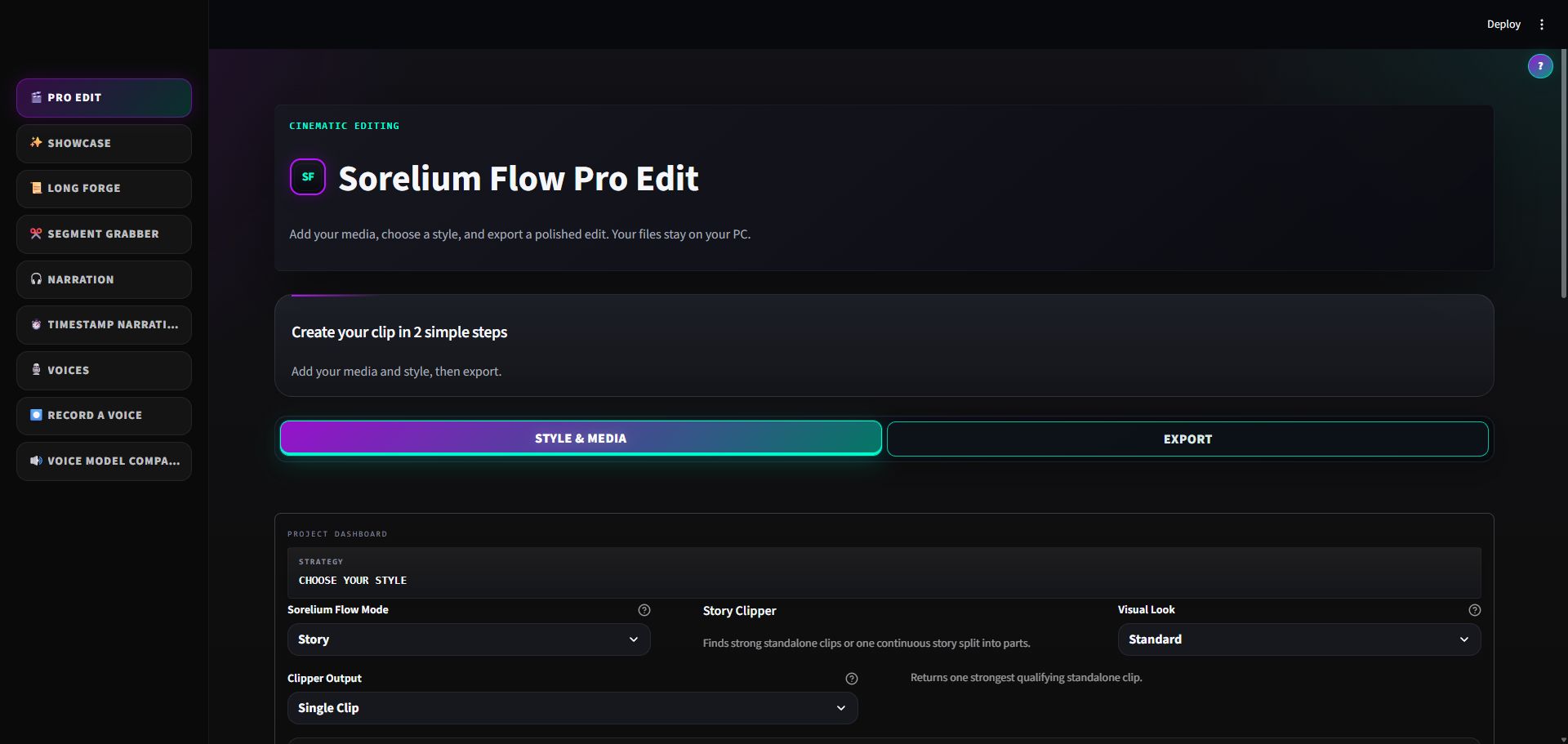
The Story route analyses the transcript, visual evidence and narrative structure to find a strong source window rather than cutting only around loud words or fixed time lengths. It checks the opening, continuity and ending so the result has a reason to begin and a clear point to finish.

It can create one clip, several separate clips from different moments, or ordered Part 1 / Part 2 style outputs from one continuous region. Captions, callouts, voiceover, vertical framing and brand elements can be added after the story window is committed.

Montage

Build around action, music and visual rhythm

The Montage route creates a candidate pool from the source, looks for usable action and avoids weak or repeated windows. It plans clip order, pacing, music timing, transitions and optional effects as one edit rather than adding decoration after random cuts have already been chosen.

Montage can preserve the source audio, work with chosen music, use timed lyric moments, apply a visual universe and check that effects remain visible without covering the content that matters.

Motivational

Shape a voice-led short with supporting visuals

The Motivational route can build around a spoken message, create styled word-by-word subtitles and use one to five background clips as a visual bed. It can keep the output in normal short-form length or allow a longer message when the owner deliberately chooses that option.

Voice level, background audio, subtitle placement, colour and emphasis are handled as part of the final mix so the message remains the centre of the edit.

Sorelium Flow Pro Edit workspace
Pro Edit brings style, source media and export choices into one local editing workspace.View full-size image
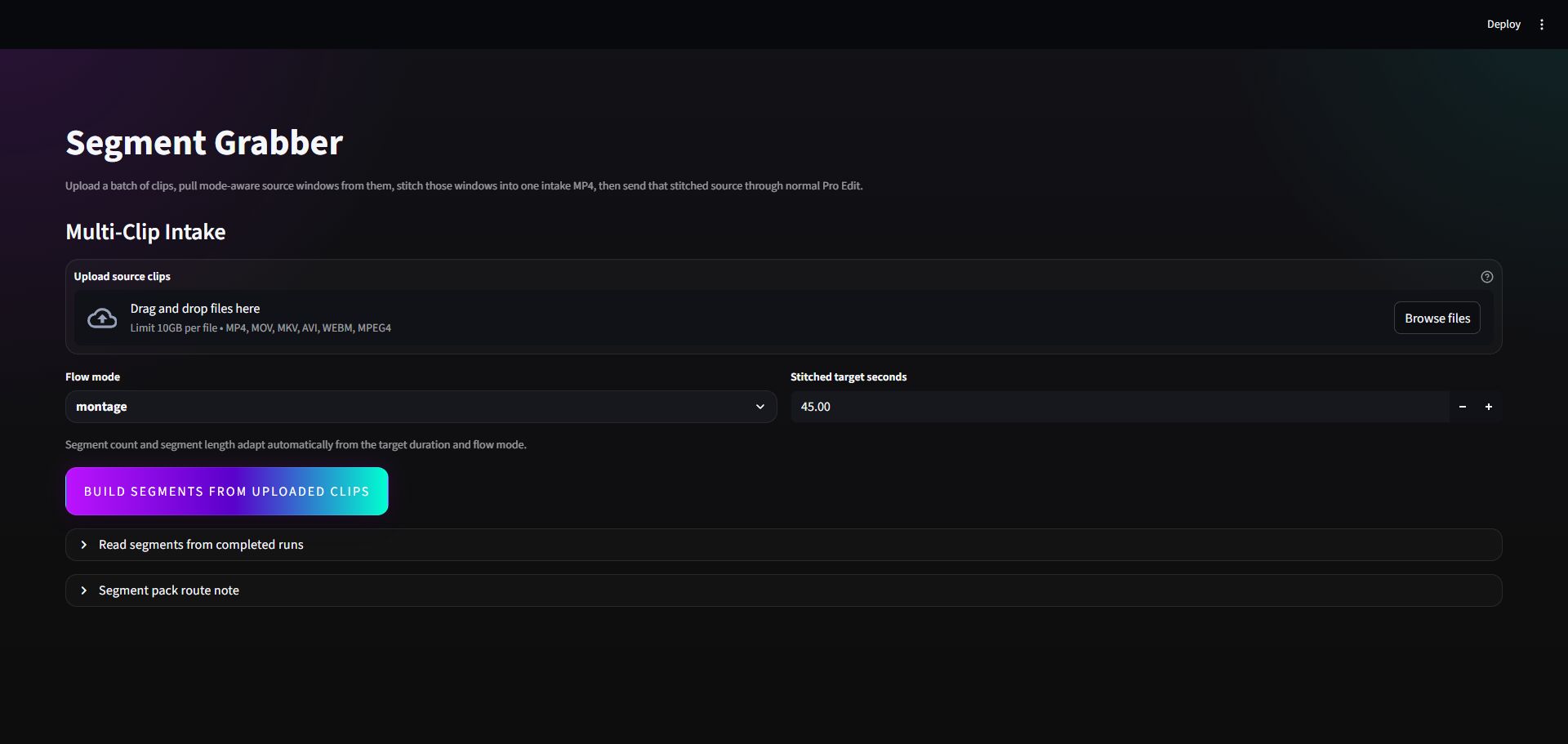
Sorelium Flow Segment Grabber workspace
Segment Grabber reviews selected moments and prepares them for a clean combined output.View full-size image
Showcase and long-form

More than one way
to turn footage into a result.

Showcase videos for products and demonstrations

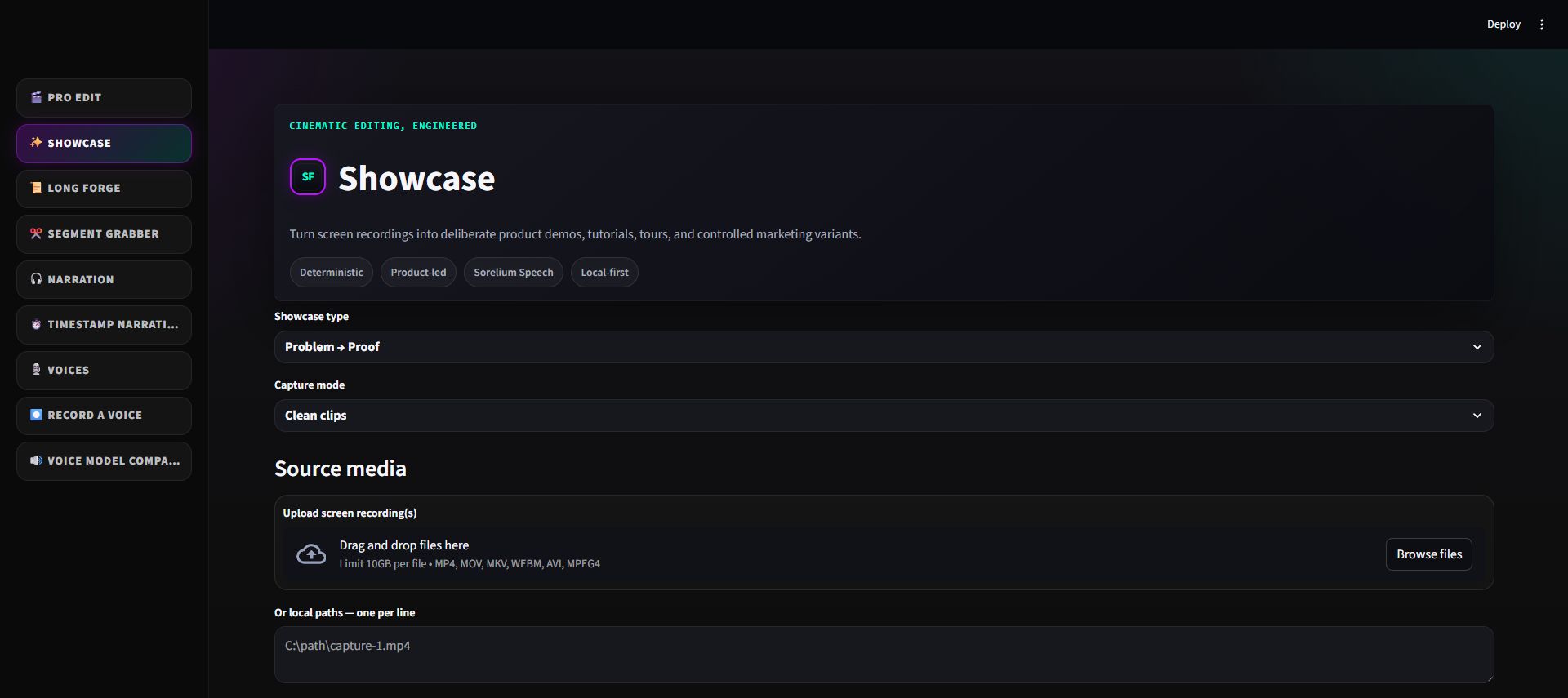
Showcase is designed for clearer presentation work. It includes routes for problem-and-proof videos, feature focus, quick how-to, tutorials, before-and-after comparisons, product tours and hook variants.

The owner can assign a purpose to each clip, choose vertical or landscape output, add a brand preset, control camera strength and silence handling, and use either uploaded narration or Sorelium Speech. Timed tutorial narration is checked so every section has enough words for its allocated window.

Long Forge for longer recordings

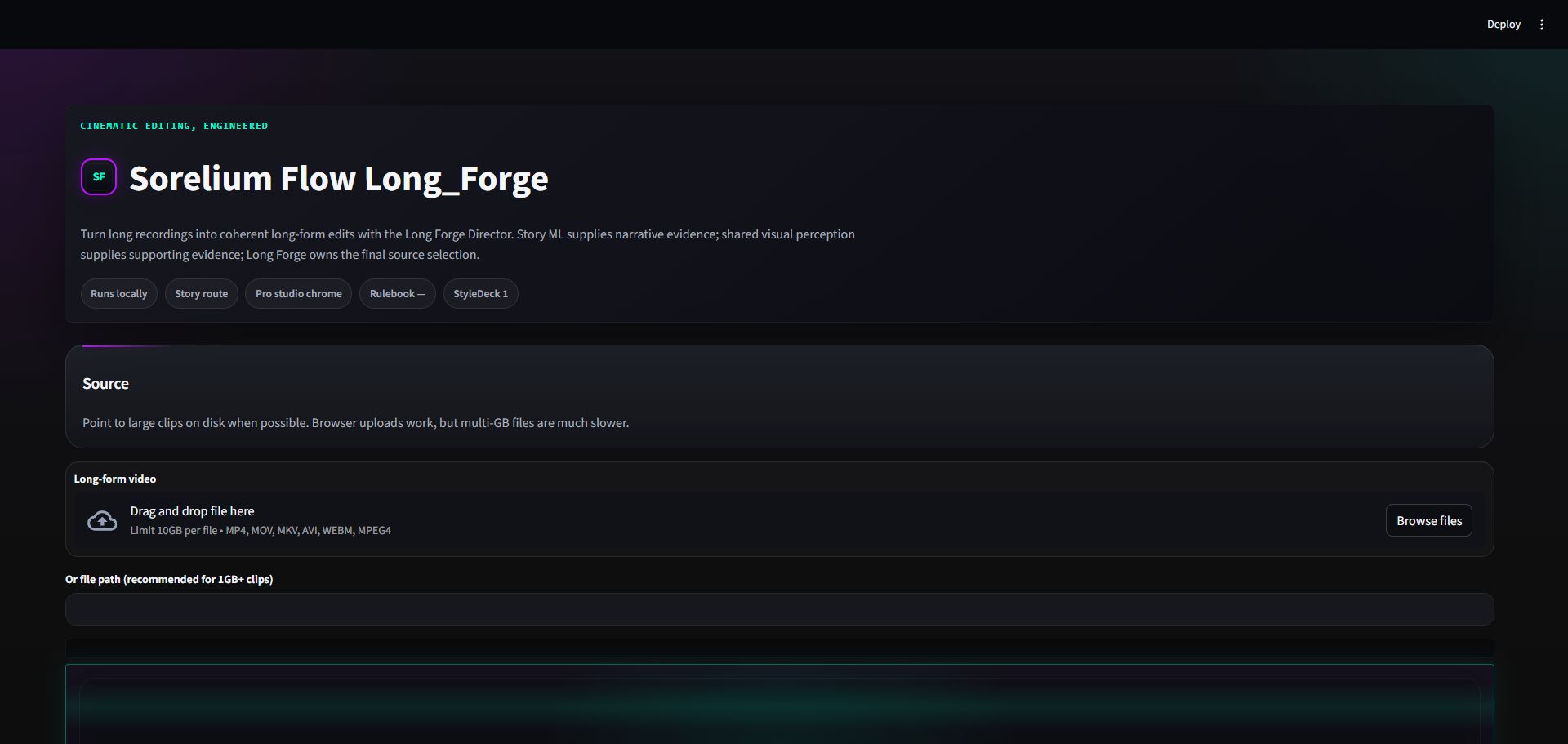
Long Forge turns longer recordings into a coherent longer edit. It manages source coverage, narrative structure, pacing, captions, audio cleanup, framing and encode quality within the owner’s requested maximum length.

Its director makes the final long-form source selection while Story analysis and shared visual perception provide evidence. Finished highlights can be exported for further review instead of disappearing inside the final video.

Segment Grabber for deliberate clip curation

Segment Grabber can collect chosen windows from multiple clips or load highlight packs created by Long Forge. Those segments can be reviewed, ordered and stitched into a new source.

The stitched result can then be passed into Pro Edit with preservation information, allowing a person to choose the raw material while Flow handles the finishing work.

Sorelium Flow Showcase workspace
Showcase is the guided route for product tours, tutorials and other structured presentations.View full-size image
Sorelium Flow Long Forge workspace
Long Forge is built for longer source material that needs organised review and shaping.View full-size image
Sorelium Speech

Create narration, manage voices
and fit speech to the edit.

Normal and timestamped narration

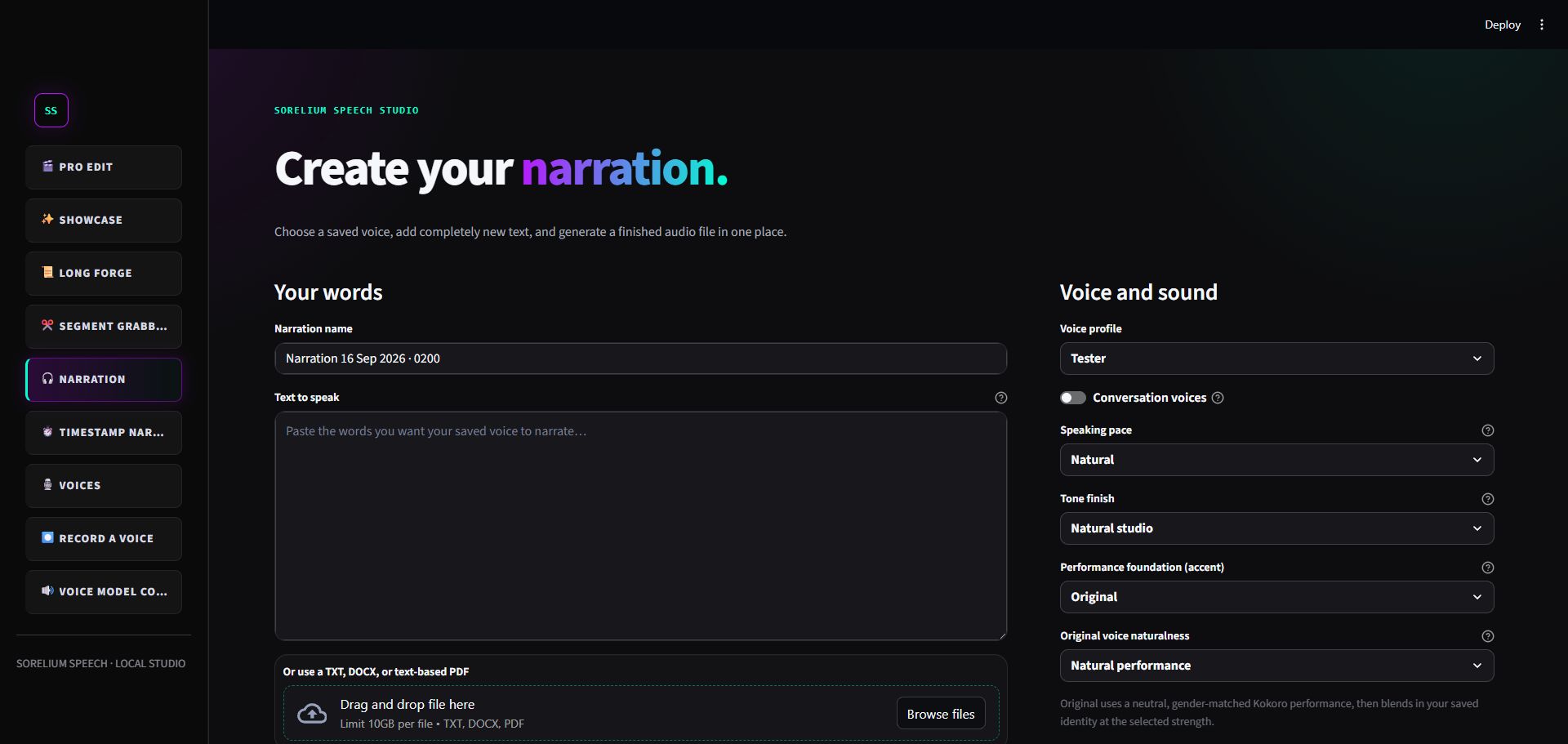
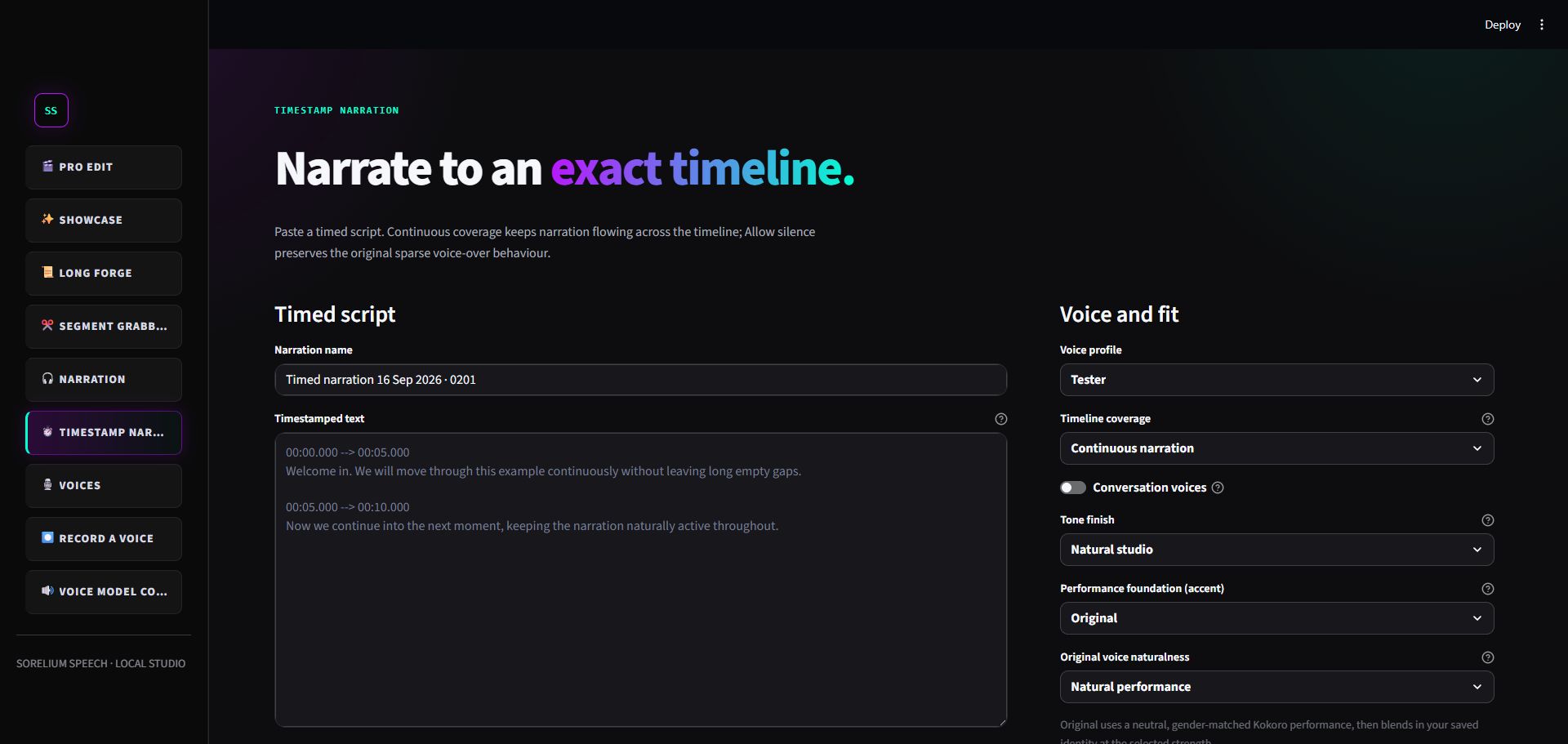
A normal narration can be made from a script with a chosen voice, pace, finish and emphasis. Timestamp Narration divides the script into timed sections and checks how each section fits its intended window.

Voices can change by section or timestamp when the script calls for more than one speaker. Showcase can also alternate female and male voices for a conversational delivery.

Reusable voice profiles

The Voices area stores the available voice profiles and the details needed to use them consistently. Record Voice guides the owner through clean sample recording, permission confirmation and creation of a reusable voice setup.

The project supports several voice engines, including local choices and an ElevenLabs connection, while keeping engine selection and failed-generation details visible.

Audio assembly and safe regeneration

Speech generation is split into chunks when needed, tracks a manifest of what was made and assembles the finished audio on a timeline. Audio processing, metadata and validation check the produced files before export.

If only part of a narration needs to be regenerated, the service can preserve the rest of the project rather than recreating every section without explanation.

Sorelium Speech narration workspace
The narration workspace turns a prepared script into local voice audio with clear controls.View full-size image
Sorelium Speech timestamp narration workspace
Timestamp Narration helps spoken sections fit the exact timing of a video.View full-size image
Sorelium Flow and Speech clips

See Sorelium Flow and Speech in action.

Motivational clip

A short clip made with Sorelium Flow and Speech.

Story clip

A short clip made with Sorelium Flow and Speech.