The idea
Let me begin with one recording
Tower keeps the recording, production plan, script, edit, checks, thumbnail and platform writing connected to the same job. I should not need to understand every platform before I can start creating for it.
I started Sorelium Tower because I didn't know much about making and publishing videos. Captions, editing plans, thumbnails, descriptions—every step felt like another thing I needed to learn. With ChatGPT and a lot of debugging, I built a system to help me keep those steps together. It can complete real production jobs, but the next test is whether it helps me publish good content consistently. I'm still learning that part too.

The idea
Tower keeps the recording, production plan, script, edit, checks, thumbnail and platform writing connected to the same job. I should not need to understand every platform before I can start creating for it.
How it works
The owner chooses what should be made. Tower checks the plan, sends the locked instructions to Sorelium Flow and Speech, verifies the result and only then asks local AI for the requested publishing material.
Why I made it
I would rather spend my time creating and building than trying to remember the rules of every social platform. Tower does the organising and prepares the writing, but it stops before publishing so I can still check what represents me.
Current stage
Tower is a private project, not a finished product or a claim that I've figured out social media. I've completed a real Showcase run. Now I need to make and publish original Sorelium content, see what people respond to and find out whether Tower genuinely makes that work manageable.
The standard
If Tower eventually helps other creators, it should be because it proved that a clear, visible process can support creative work without replacing the person doing it.
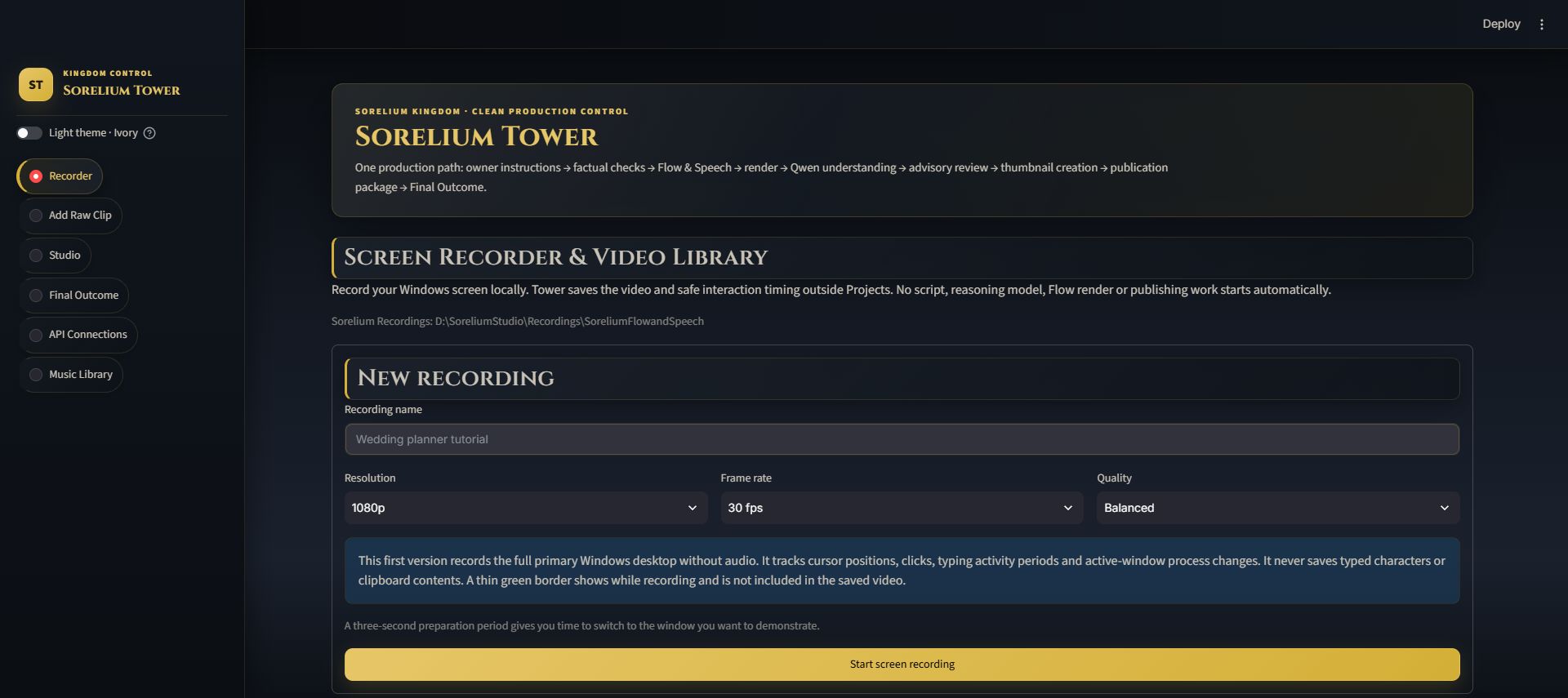
Tower can record the main Windows screen and save the finished video into its local Video Library. A thin green border marks the capture area without being included in the recording. The saved bundle can include click positions, broad typing periods and active application changes, but it does not store typed words or clipboard contents.
A recording can later be selected as the source for a new production job, so demonstrations and tutorials can move directly into the editing workflow.
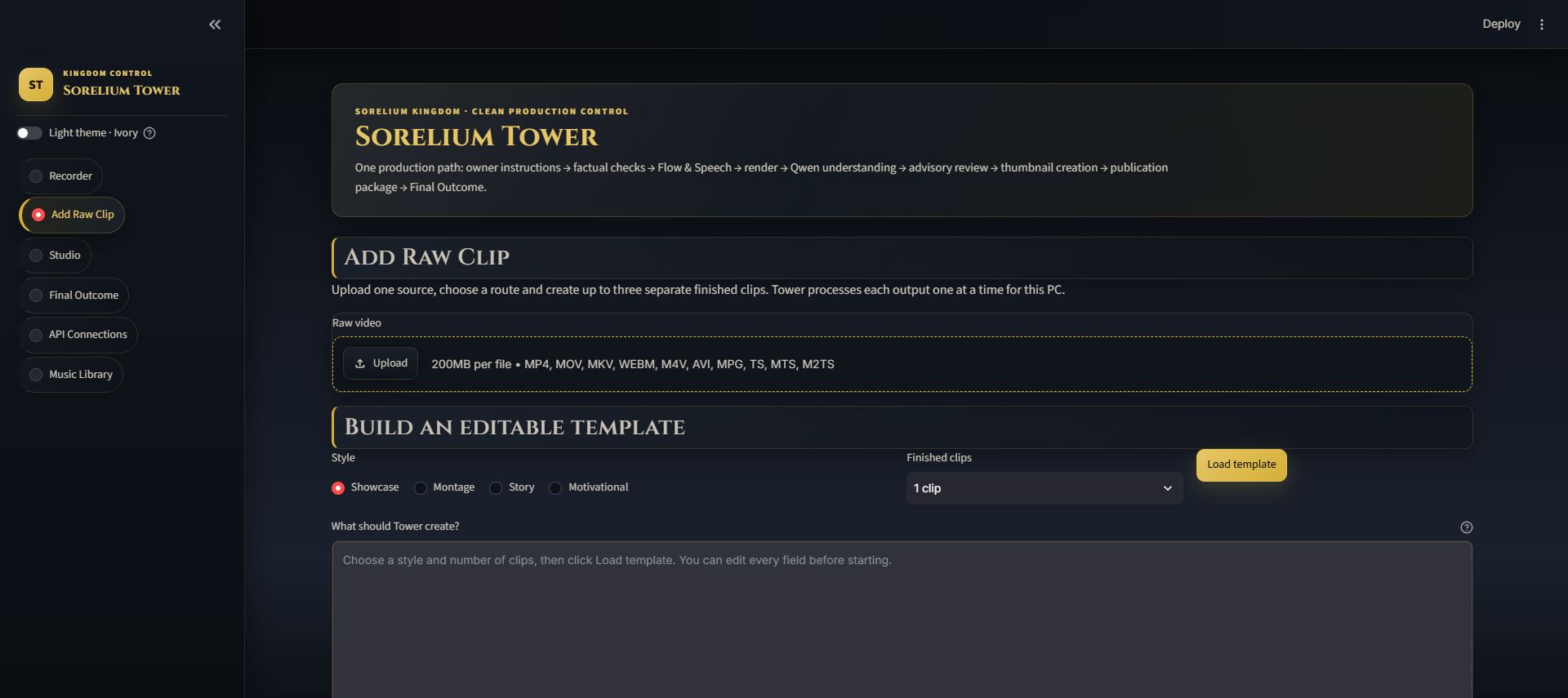
The owner can choose Showcase, Montage, Story or Motivational. Tower loads an editable template for the route so the required duration, aspect ratio, style, narration, music and destination packages are written down before production begins.
One source can create one, two or three separate outputs. Each output is reviewed as its own job while reusing the same local source file.
A completed timed script can be supplied before production. Tower estimates the word fit for every timestamp section, while Sorelium Speech performs the exact duration check at one fixed speaking pace.
If a section contains too many or too few words, the system reports every problem. It does not quietly rewrite the owner’s script or change speaking speed from one section to another.
Before rendering
Tower checks that the source exists, the requested route is understood and the plan is usable before it hands the job over. It also checks media facts such as duration, aspect ratio and audio expectations so obvious problems are caught early.
During rendering
The approved plan is handed to Sorelium Flow and Speech. Multiple outputs run in sequence under a production lock, which avoids asking the same local GPU to render or run heavy AI work for two jobs at once. Saved state and event history allow an interrupted job to be resumed.
After rendering
Tower verifies the rendered file and extracts useful frames. A short post-render improvement review can note ideas for future Flow or Speech work, but that review cannot pass, fail, change or rerender the finished clip.
After the render is complete, the local Qwen model can create copy for the destinations the owner selected: Instagram, TikTok, YouTube, Pinterest or a blog. It works from the finished video and grounded job information, and it is not allowed to change the production plan or render.
Depending on the destination, the package can include titles, captions, descriptions, hashtags, keywords, calls to action and image guidance.
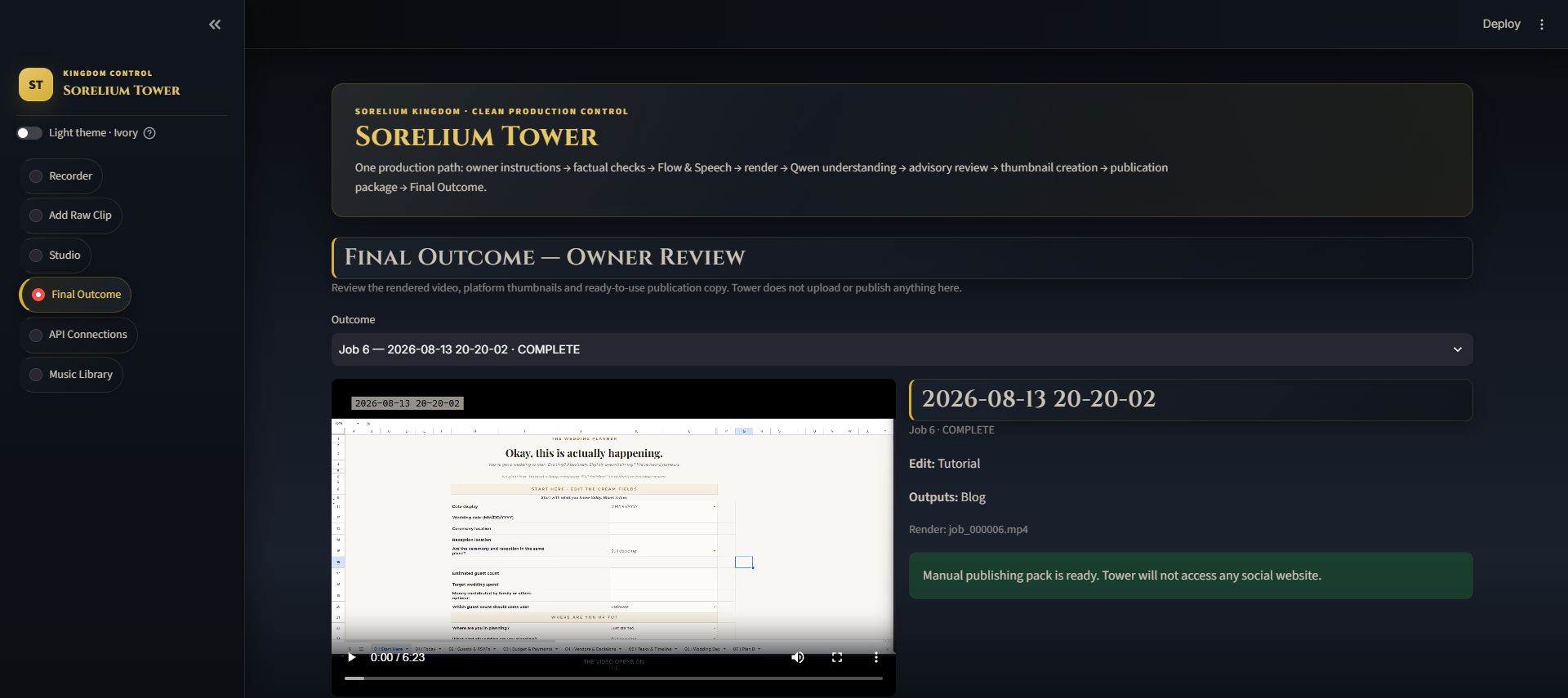
The Final Outcome page brings together the finished-video preview, a downloadable video, thumbnail frame, full publishing manifest and separate text files for each requested destination. Copy buttons make it easier to move the prepared text into the owner’s chosen platform.
Official social connections are reserved for possible future work, but they are currently disabled. Publishing remains manual.
Choose a local recording or upload source and select the production route.
Set the output instructions, timed script and requested destinations.
Flow and Speech create the output while Tower tracks and checks the job.
Review the clip, thumbnail and ready-to-copy publishing material, then publish manually.
This is a preview of the idea. The project is still being developed privately and is not available for public use yet.